Mix & Match — let customers build the box.
Set categories, min/max quantities, and a discount ladder. Customers pick from your catalog and watch the total update in real time. The most conversion-lifting bundle pattern on Shopify.
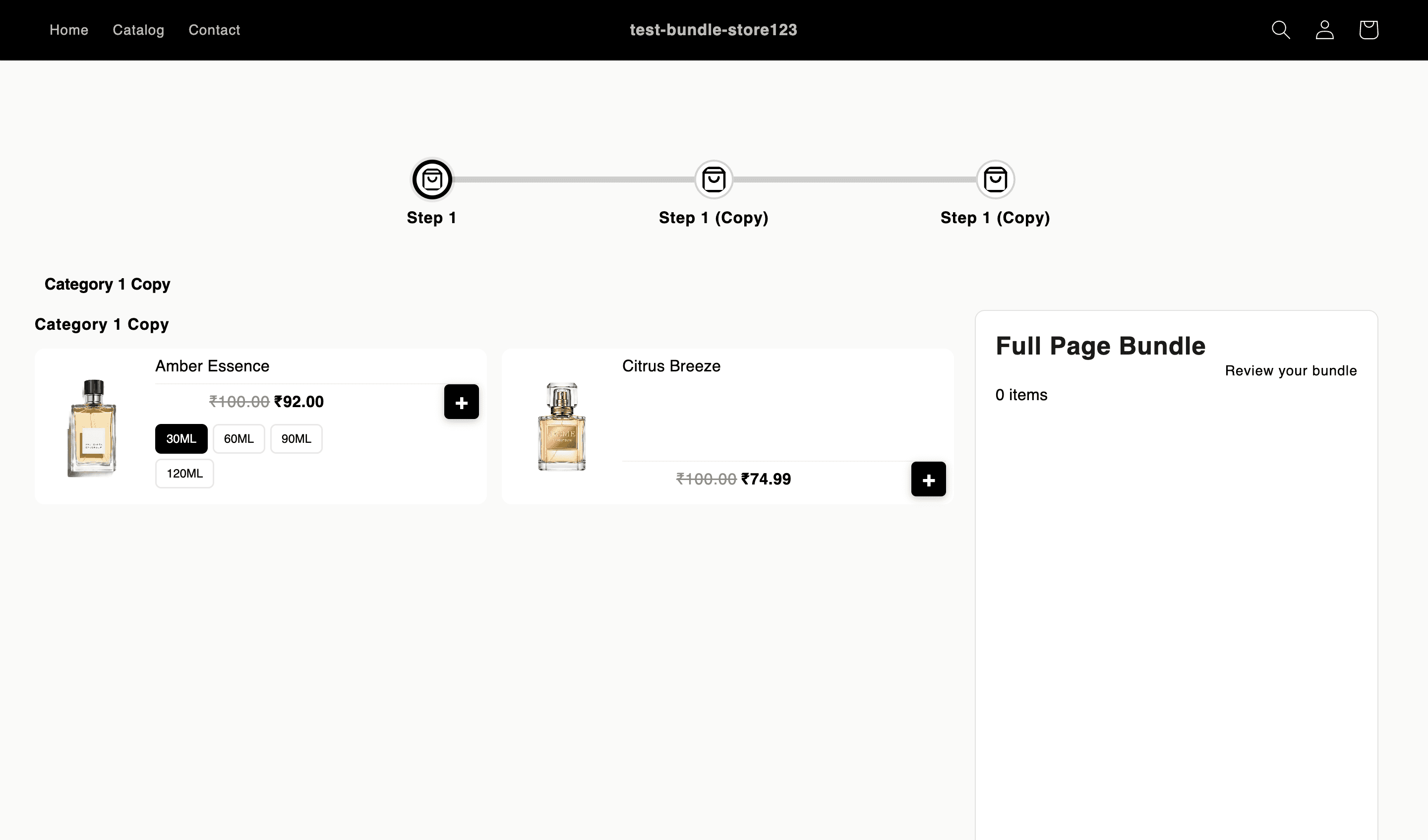
Every capability, grep-able in the code.
Category-based selection with independent min/max quantities.
Multi-step flows: pick a scent → pick a size → pick an add-on.
Live total updates as items are added/removed.
Discount ladders: 10% at 2 items, 20% at 3, 30% at 4+.
Variants as individual products — colors and sizes are pickable independently.
Preview mode so you can walk the flow before publishing.
Three steps from empty admin to live bundle.
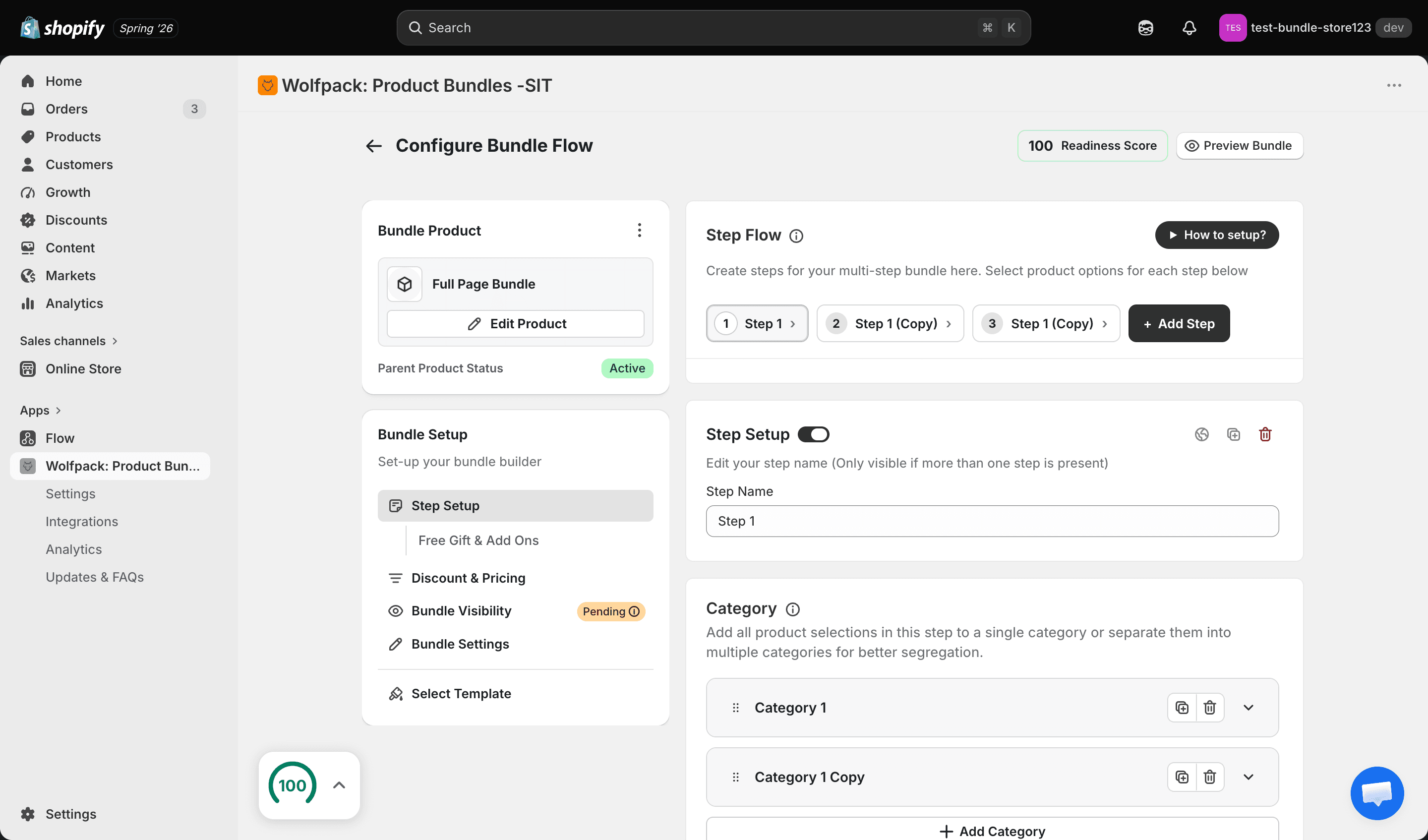
Define categories
Create the categories customers pick from (e.g. Tops, Bottoms, Accessories). Each category has its own min/max.
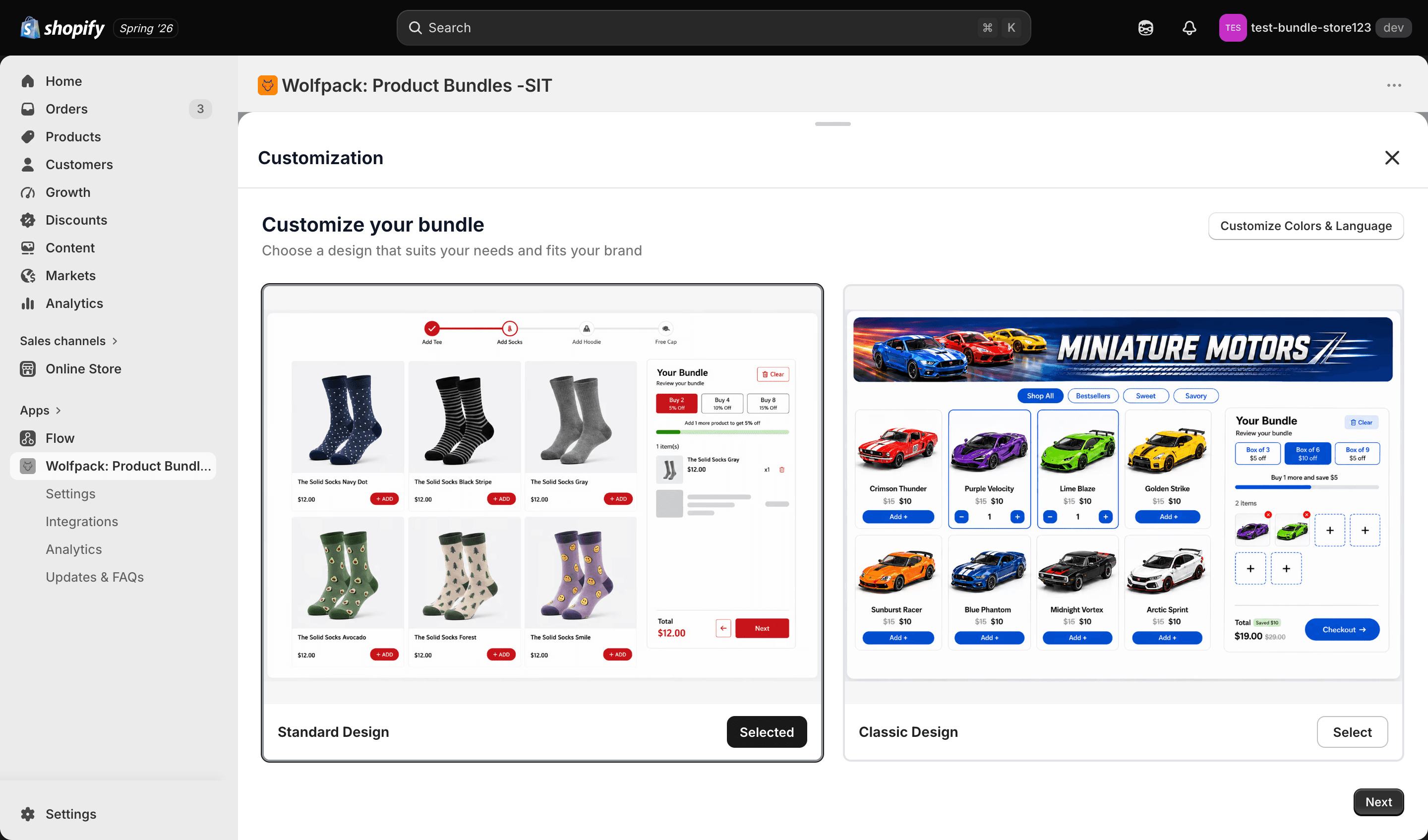
Set a discount ladder
Buy more, save more. Tiers apply automatically at cart based on item count.
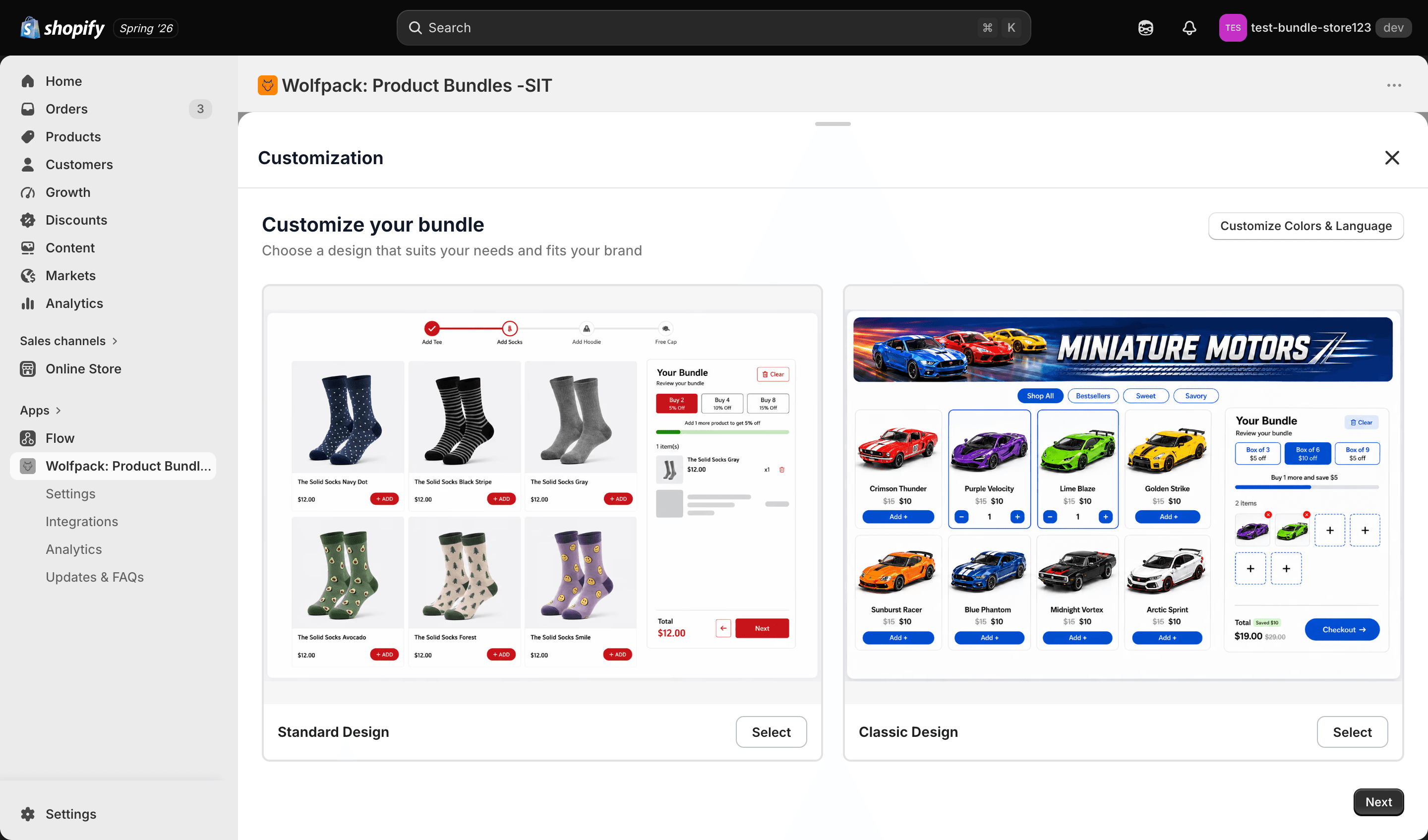
Preview the flow
Walk the multi-step flow yourself before switching the bundle live.
Verticals where Mix & Match bundles fit.
Specifically about Mix & Match bundles.
Can I limit customers to a set number of items?+
Yes. Every category has an independent min/max. Set 'exactly 3 tops' or 'up to 5 items across all categories' — both are one toggle.
Do variants (colors/sizes) show as separate options?+
Yes. Variants are pickable independently, so a customer choosing 3 T-shirts can mix colors and sizes freely.
Do discounts stack with the customer's promo code?+
Yes, if your Shopify Discount Combinations settings allow it. Wolfpack respects your store's combination rules.
Ship your first mix & match bundle this week.
14-day trial. Full feature access. Cancel from your Shopify admin.